Browsing certificates
PKIaaS keeps track of all the issued certificates. These certificates include:
- The certificates manually issued as described in:
- The certificates automatically enrolled as described in:
Follow the steps below to browse and inspect the details of all these certificates.
To browse certificates:
- Follow Accessing your instances to log in to the PKIaaS user interface as a user with any of the roles described under Role permissions.
-
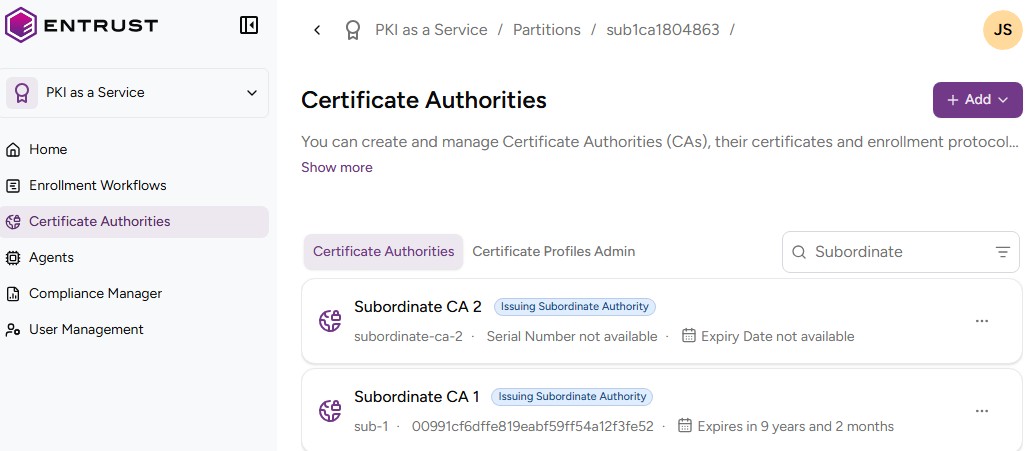
Click Certificate Authorities in the sidebar.
-
In the Certificate Authorities tab, select a certificate authority to display the list of issued certificates.
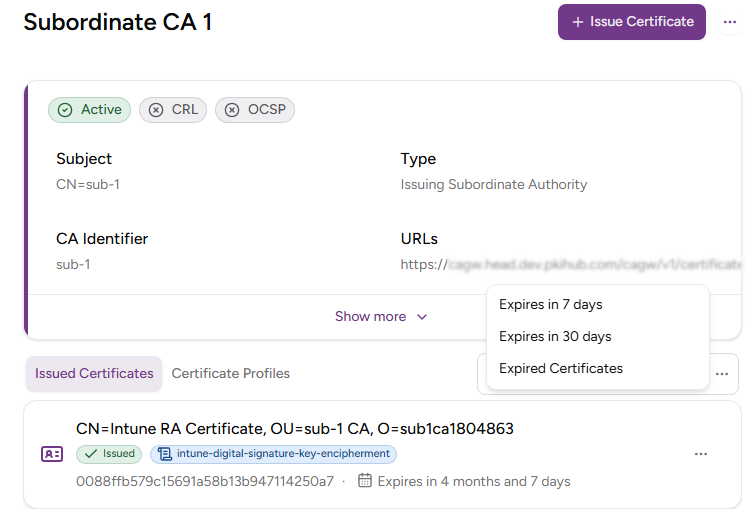
- Optionally, narrow the list with the options described in Querying data.
-
Select a certificate to display the following certificate details.
- Status
- Profile ID
- Serial Number
- Issuer
- Valid From
- Expiry Date
- Public Key Type
- Signature Algorithm
- Subject Alternative Names
- Basic Constraints
- Key Usages
- Extended Key Usages
- Authority Info Access OCSP
- Authority Info Access CA Issuers
- Authority Key Identifier
- Subject Key Identifier
- CRL Distribution Points
- Certificate Policies
See RFC 5280 for more details on the standard certificate extensions.
Status
The validity status of the certificate.
| Status | Description |
|---|---|
| Issued | The certificate is valid |
| Revoked | The certificate is no longer valid |
| Suspended | The certificate is no longer valid, but the system can restore its validity |
See Changing the certificate status to change the validity status of a certificate.
Profile ID
The certificate profile selected when issuing the certificate.
Serial Number
The serial number (SN) of the issued certificate.
Issuer
The subject distinguished name of the CA certificate used to issue the certificate.
Valid From
The time and date when the CA issued the certificate.
Expiry Date
The expiry date selected when issuing the certificate, or the Lifetime validity label if the certificate was issued with a profile that sets no expiry.
Public Key Type
The type and size of the certificate public key.
Signature Algorithm
The hash and encryption algorithms used to sign the certificate.
Subject Alternative Names
The Subject Alternative Names (SANs) selected when issuing the certificate.
Basic Constraints
The holder category for which the CA issued the certificate.
| Value | Holder |
|---|---|
| CA | A certificate authority |
| EndEntity | An end-entity, like a device or a corporate user |
Key Usages
The purpose of the key contained in the certificate — for example:
- encipherment
- signature
- certificate signing
Extended Key Usages
One or more purposes for which applications can use the certified public key, beyond or instead of the basic purposes indicated in the Key Usage extension.
Authority Info Access OCSP
The URL of the OCSP service for checking the certificate validity status.
Undefined when disabling this service for the CA.
Authority Info Access CA Issuers
Information for accessing the issuing CA service.
Undefined when disabling this service for the CA.
Authority Key Identifier
The identifier of the public key corresponding to the private key used to sign the certificate.
Subject Key Identifier
The identifier of the certificate public key.
CRL Distribution Points
The URLs for downloading the CRLs (Certificate Revocation Lists) generated by the CA that issued the certificate.
Undefined when disabling this service for the CA.
Certificate Policies
A sequence of one or more policy information terms, each of which consists of an object identifier (OID) and optional qualifiers.