Creating credentials
After Creating an Ivanti enrollment workflow, create at least one credential.
To create a credential:
-
In the workflow configuration, select Create > Credentials.
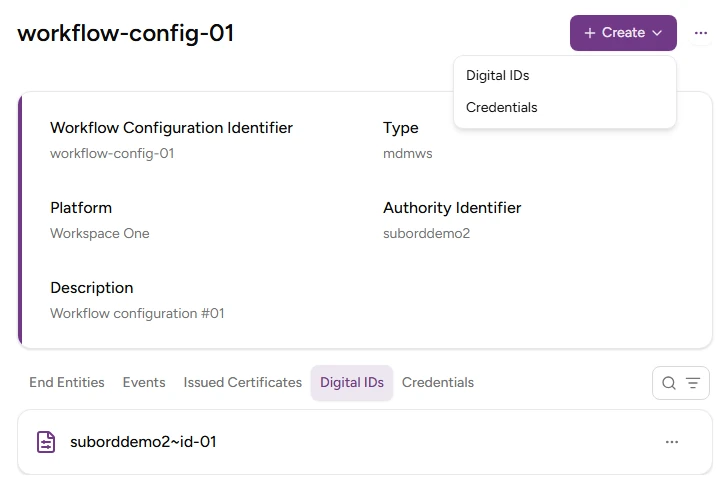
-
Enter a username with the following requirements:
- 2-18 characters long.
- Includes only lowercase letters, numbers, hyphens (’-’), and underscores (’_’).
-
Click Create.
-
Copy the Password value displayed in the confirmation dialog.
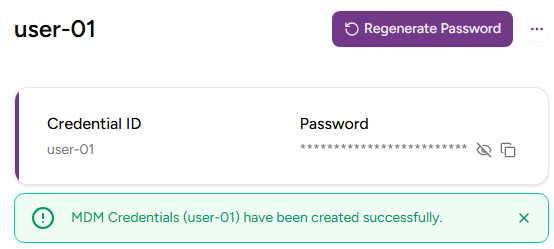
⚠ As stated in the confirmation dialog before leaving this page, Entrust PKIaaS will not display the credential password again. However, you can generate a new one with the Regenerate Password button.