Importing an external root authority
Follow the steps below to import a root certificate authority that has been created outside PKIaaS.
To import an external root CA:
-
Follow Accessing your instances to log in to the PKIaaS user interface using an account with one of the following roles:
-
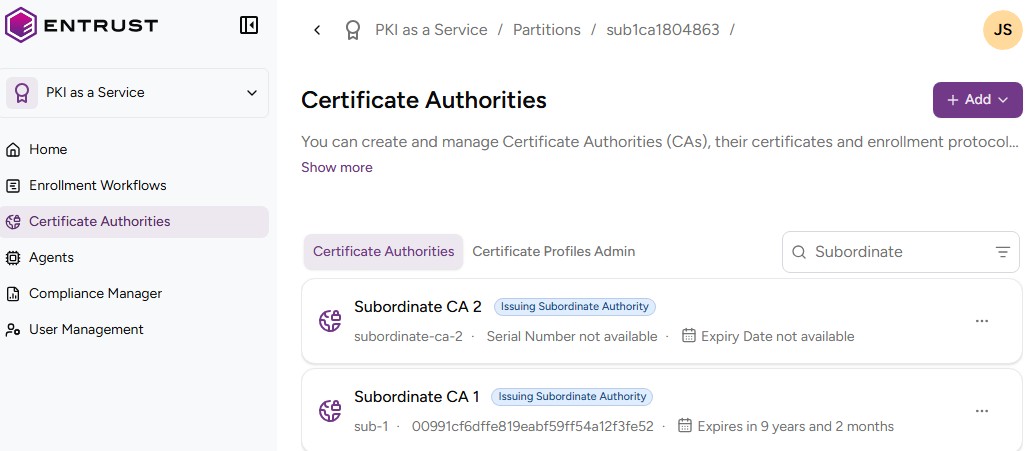
Click Certificate Authorities in the sidebar.
-
Click Add and select Certificate Authority.
-
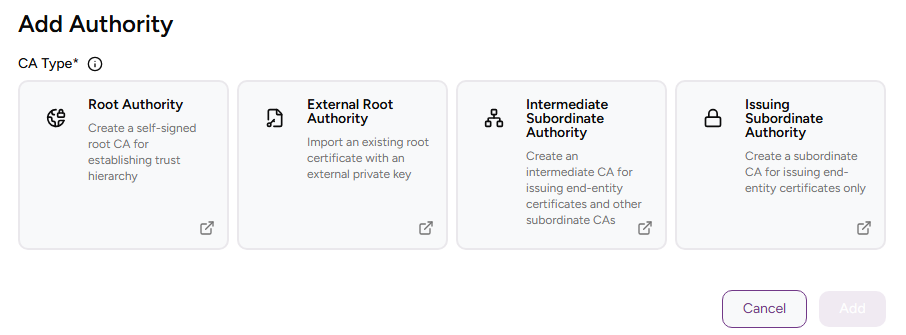
Click External Root Authority.
-
Complete the following values.
-
Click Create.
-
Check the details of the created CA — for example, the Serial Number of the Certificate Signing Certificate.
CA Identifier
Enter a unique identifier for the new CA in your PKI hierarchy. This identifier:
- Must contain 2-18 characters.
- Can only include lowercase letters, numbers, hyphens (’-’), and underscores (’_’).
Friendly Name
Write a descriptive name for the CA in your PKIaaS instance.
Root CA Certificate
Click Choose File and select the file containing the Certificate Signing Certificate of the external CA.