Disabling and re-enabling reports
See below for disabling and re-enabling the generation of CSV reports for a report design.
While disabled, a report design no longer generates reports with the configured schedule. However, you can still generate reports as explained in Manually generating reports.
To disable or re-enable report generation:
-
Follow Accessing your instances to log in to the PKIaaS user interface using an account with one of the following roles:
-
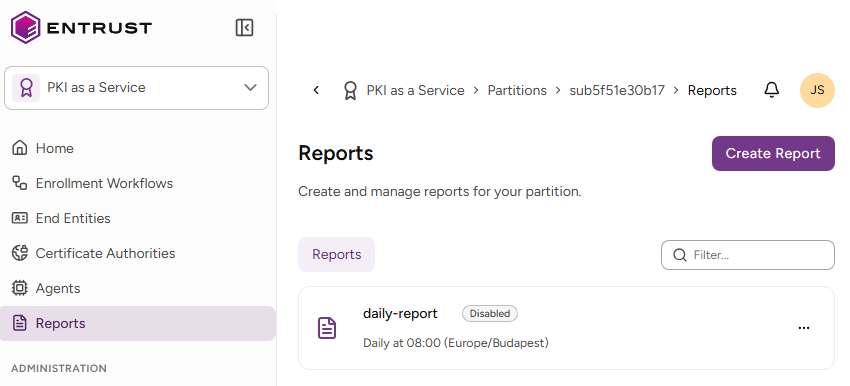
Click Reports in the sidebar
-
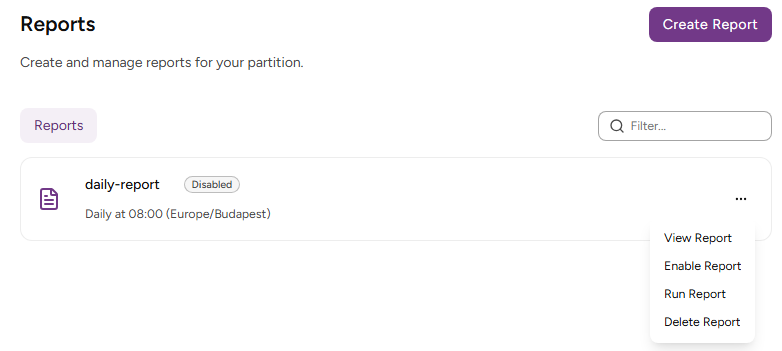
In the report grid, click the three dots (…) to the right of a report design.
-
Select:
- Disable Report to disable an active report design.
- Enable Report to re-enable a disabled report design.
- Delete Report to definitely remove the report design.