Selecting CA profiles
After creating a CA, you can modify the list of certificate profiles the CA supports.
ℹ See Managing certificate profiles for how to browse and create certificate profiles.
To select the certificate profiles of a certificate authority:
-
Follow the steps described in Accessing your partitions to log into the PKIaaS interface as a user with any of these roles:
-
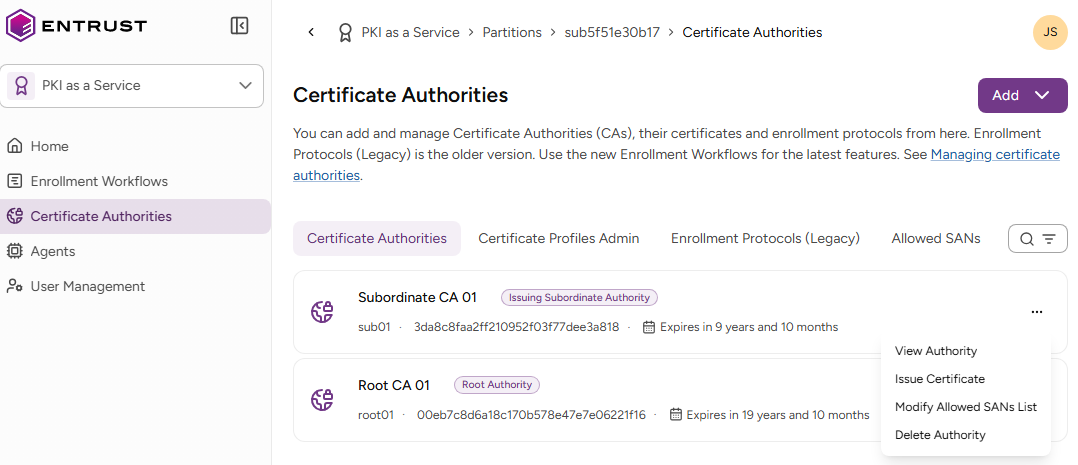
Click Certificate Authorities in the sidebar.
-
Click the three dots (…) to the right of an authority and select View authority.
-
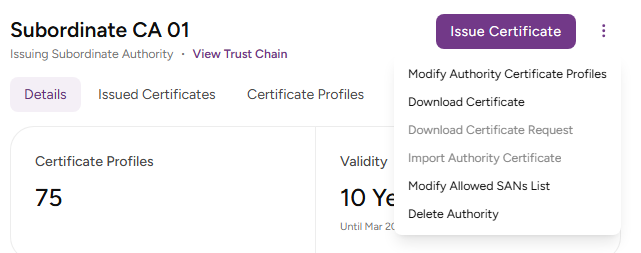
On the CA details page, click the three dots (…) to the right of the authority name.
-
Select Edit Authority Certificate Profiles.
-
Add or remove profiles using the Modify Authority Certificate Profiles option.