Creating instances
Log in to the PKIaaS Supervisor interface to deploy your purchased subscriptions as instances.
In the Supervisor interface, a deployed subscription is called an instance. As described in Definitions, it provides a dedicated and secure environment within the PKIaaS platform for a customer to manage and run a PKI.
To create an instance:
-
Open the Supervisor interface at https://super.pkiaas.entrust.com in one of the following browsers:
- Apple Safari
- Google Chrome
- Mozilla Firefox
-
Authenticate with your credentials.
-
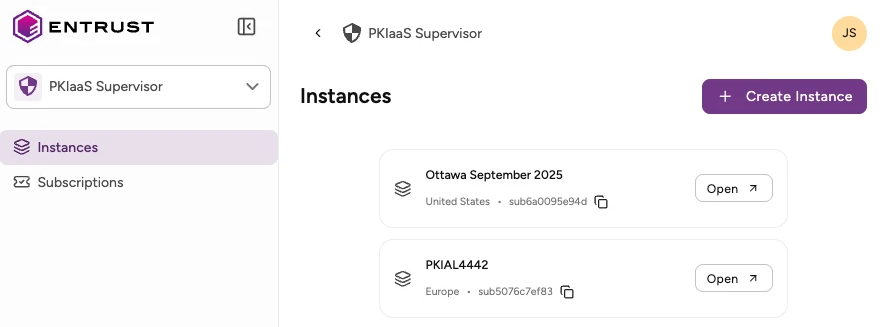
Click Instances in the sidebar.
-
Click Create Instance.
-
In the Create Instance dialog, select a Subscription (when more than one is available) and a Region.
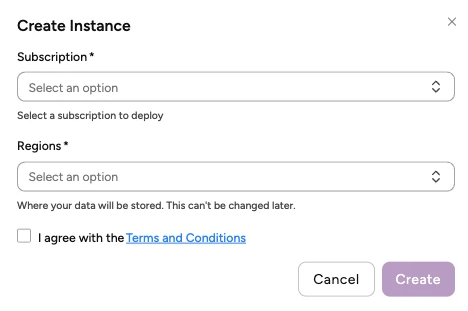 See Definitions for considerations on selecting a region.
 -
Check the I agree with the Terms and Conditions box and click Create to create the instance for your subscription.
-
Check the following values for each instance in the Instances list.
- The label, which matches the assigned subscription.
- The region selected when creating the instance.
- The internal instance identifier.
-
Click Open on an instance to manage its CAs and certificates from the PKIaaS user interface.