Issuing certificates with Sectigo
Issuing certificates with a Sectigo CA requires different values than the ones described in Issuing certificates from a CSR.
To issue a certificate with a Sectigo CA:
-
Generate a key pair and a CSR on your local machine using your preferred tools.
-
Follow Accessing your instances to log in to the PKIaaS user interface using an account with one of the following roles:
-
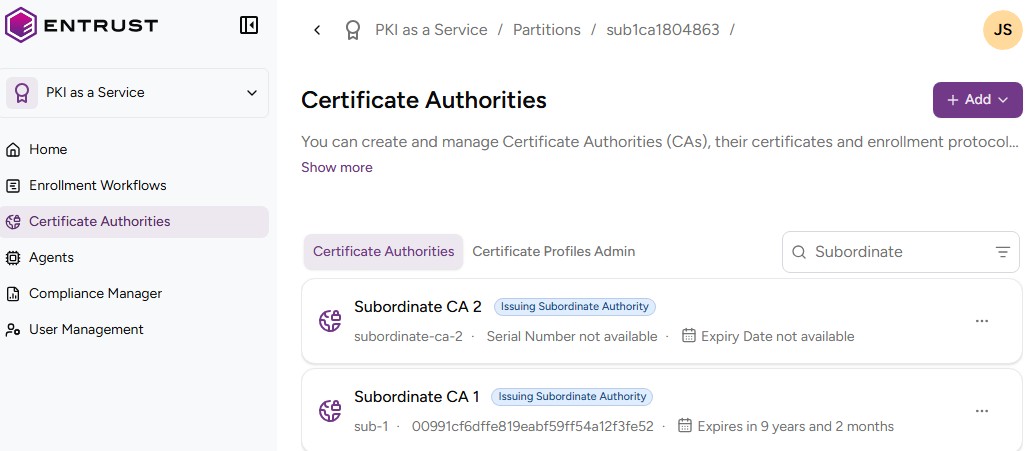
Click Certificate Authorities in the sidebar.
-
In the Certificate Authorities tab, select the three dots (…) to the right of a Sectigo authority.
-
Select Issue Certificate.
-
Complete the following values.
-
Click Request.
Metadata-driven issuance fields
When issuing a certificate with a Sectigo authority, PKIaaS builds the form dynamically from the authority configuration. Thus, the CA Configuration section can include the following fields:
| Field | Description | Mandatory |
|---|---|---|
| Organization | The Sectigo organization under which the certificate request is submitted. Selecting an organization determines the available certificate profiles and other request options. | ✔ |
| Department | The department within the selected Sectigo organization to which the certificate request belongs. | ❌ |
| Certificate Profile | The certificate template that defines the certificate type, subject attributes, validation requirements, and issuance settings. | ✔ |
| Certificate Term | The validity period of the certificate. | ✔ |
Certificate Signing Request
In this field, paste the encoded text of a Certificate Signing Request (CSR) you have locally generated for a key pair.
Custom Fields
The request form can include custom fields defined for the authority in Sectigo. Each custom field is rendered with its configured type and options, and mandatory fields are marked with an asterisk.