Creating a third-party Sectigo authority
A third-party Sectigo authority connects PKIaaS to a Sectigo Certificate Manager (SCM) instance for SSL certificate issuance. This CA type:
- Delegates certificate issuance requests to Sectigo Certificate Manager.
- Supports metadata-driven fields such as organization, certificate profile, and certificate term.
Follow the steps below to add a Sectigo authority to PKIaaS.
To create a third-party Sectigo authority:
-
Follow Accessing your instances to log in to the PKIaaS user interface using an account with one of the following roles:
-
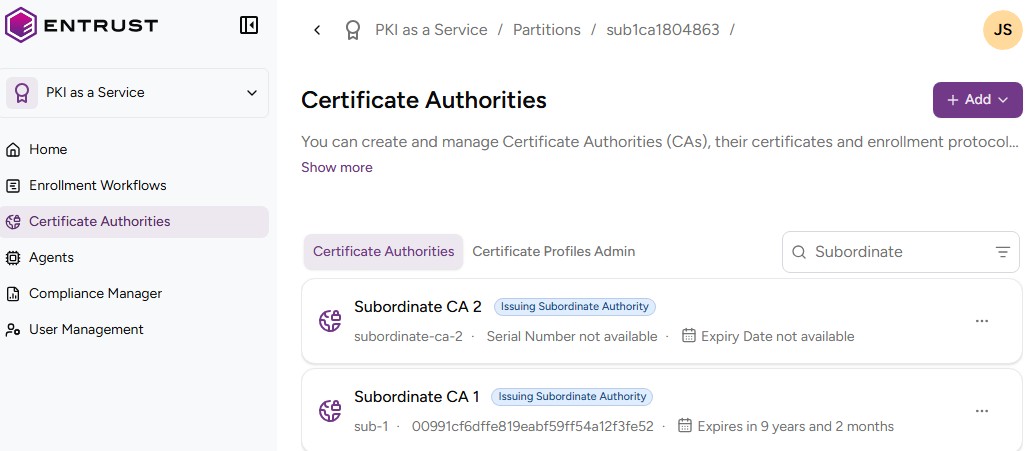
Click Certificate Authorities in the sidebar.
-
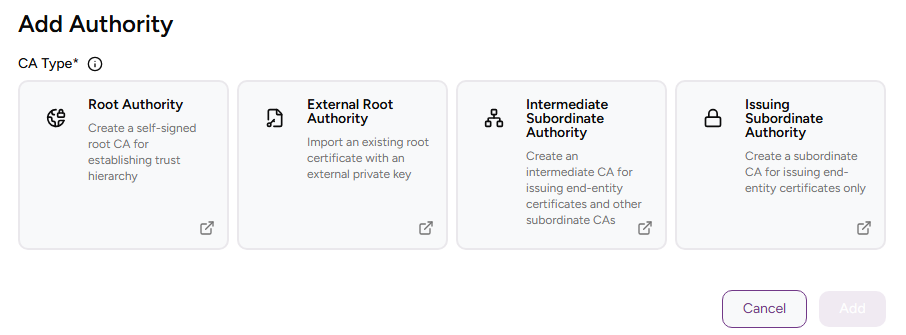
Click Add and select Certificate Authority.
-
Select Third Party Sectigo Authority.
-
Click Add and complete the following values.
-
Click Add.
CA Identifier
Enter a unique identifier for the new CA in your PKI hierarchy. This identifier:
- Must contain 2-18 characters.
- Can only include lowercase letters, numbers, hyphens (’-’), and underscores (’_’).
Friendly Name
Write a descriptive name for the CA in your PKIaaS instance.
API Client ID
The API Client ID provided by Sectigo for authenticating API requests.
Sectigo API Secret
The API Secret provided by Sectigo for authenticating API requests.
Sectigo Customer URI Identifier
The Sectigo Customer URI for your Sectigo Certificate Manager instance.
Agent Configuration
The local agent that will connect to the Sectigo API on your behalf.
Agent Link Secret
The one-time secret generated when linking the local agent to PKIaaS. This value authorizes the agent registration with Sectigo integration and must match the secret configured on the agent.
Enable External Synchronization
Enable this toggle to synchronize the issued SSL certificates with the Sectigo CA.