Auditing eForm enrollment
Follow the steps below to audit eForm enrollment operations.
To audit eForm enrollment:
-
Follow Accessing your instances to log in to the PKIaaS user interface using an account with one of the following roles:
-
Click Enrollment Workflows in the sidebar.
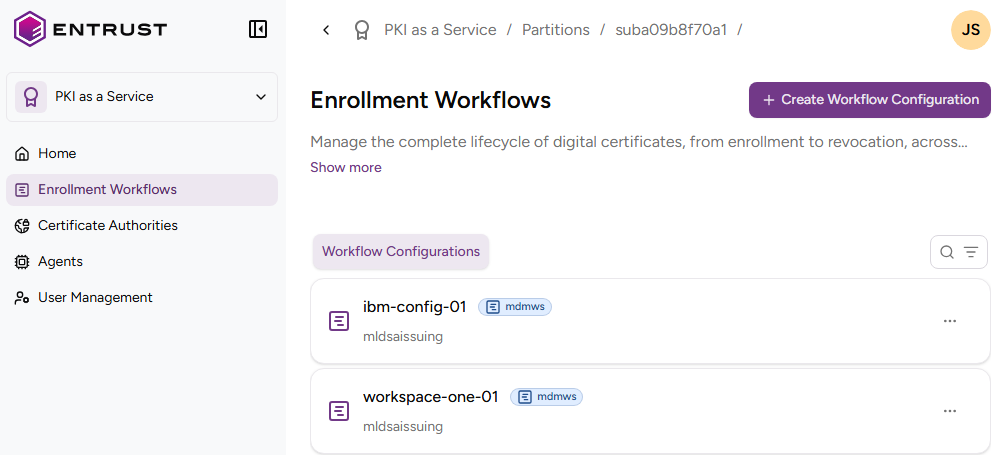
-
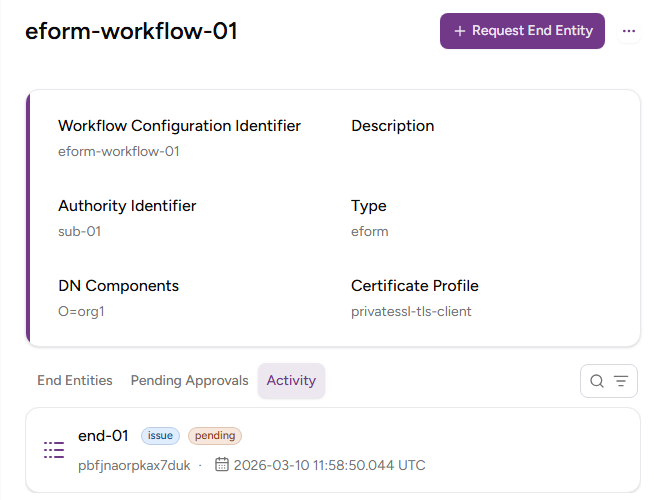
Select the name of an eForm enrollment workflow to display the configuration details.
-
Select the Activity tab to browse details on each recorded enrollment event.
See Approving and managing eForm entities for instructions on approving pending requests.