Auditing enrollment events
See the following instructions to audit enrollment events triggered by remote end entities.
To audit enrollment events:
- Follow Accessing your instances to log in to the PKIaaS user interface as a user with any of the roles described under Role permissions.
-
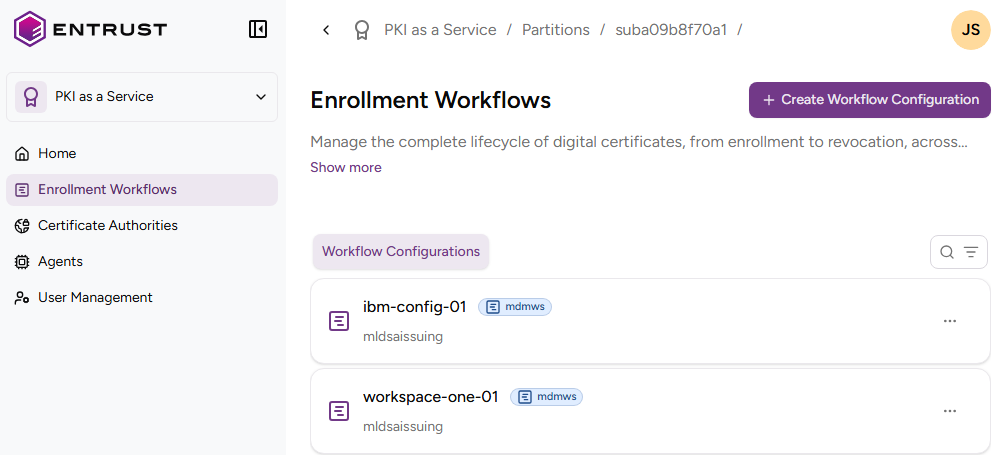
Click Enrollment Workflows in the sidebar to display the list of workflow configurations.
-
Optionally, click the search icon
 in the upper-right corner and enter a case-insensitive free-text query.
-
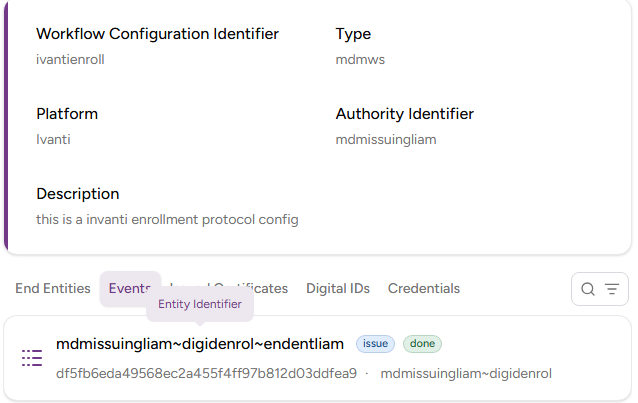
Select the name of a workflow configuration and select the Events tab.
-
Browse the event details.
- The end-entity triggering the event.
- The event type, for example issue.
- The completion status, for example done.
- The internal event identifier, as a hexadecimal string.
- The time and date of the event.