Enabling WSTEP for Active Directory nodes
Enable WSTEP enrollment for the Active Directory nodes configured in Adding Active Directory nodes.
To enable WSTEP for an Active Directory node:
-
Follow Accessing your instances to log in to the PKIaaS user interface using an account with one of the following roles:
-
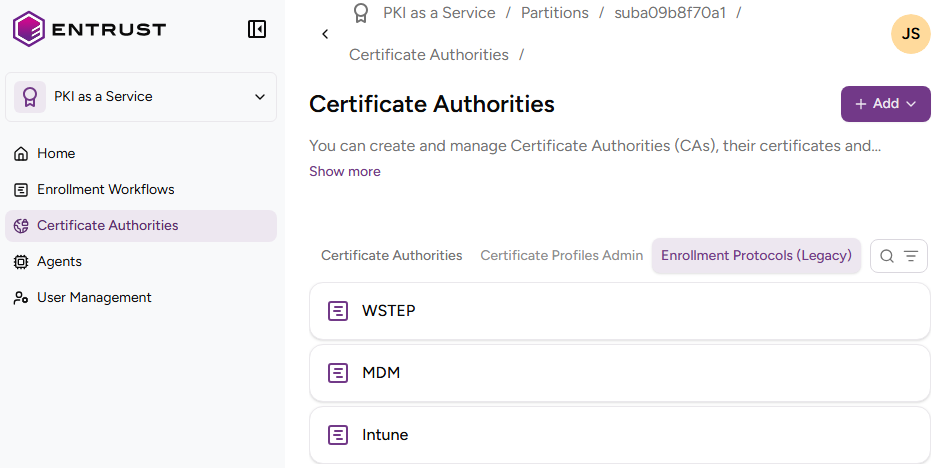
Click Certificate Authorities in the sidebar and select the Enrollment Protocols (Legacy) tab.
-
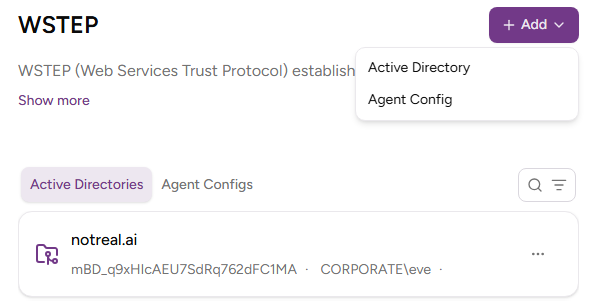
Click WSTEP in the protocols list and select Create > Agent Configuration.
-
Select one of the configurations created when Creating an agent configuration.
-
Click Enable.
-
In the Active Directories tab, select the Active Directory node you previously added in Adding Active Directory nodes.
-
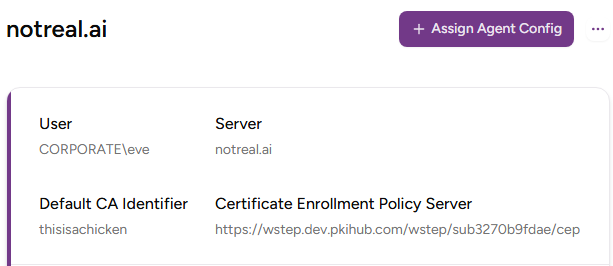
In the Active Directory node details, click Assign Agent Config.
-
Select the configuration previously created in Creating an agent configuration.
-
Click Assign.