Creating an MDM IBM MaaS360 enrollment workflow
Configure a PKIaaS workflow to process MDM (Mobile Device Management) IBM MaaS360 enrollment requests.
To configure an MDM IBM MaaS360 workflow in PKIaaS:
-
Follow Accessing your instances to log in to the PKIaaS user interface using an account with one of the following roles:
-
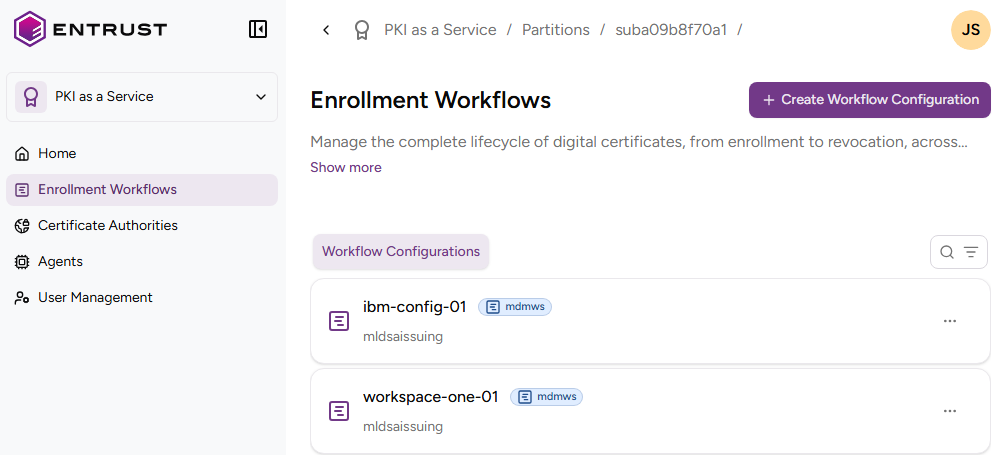
Click Enrollment Workflows in the sidebar.
-
Click Add Workflow Configuration.
-
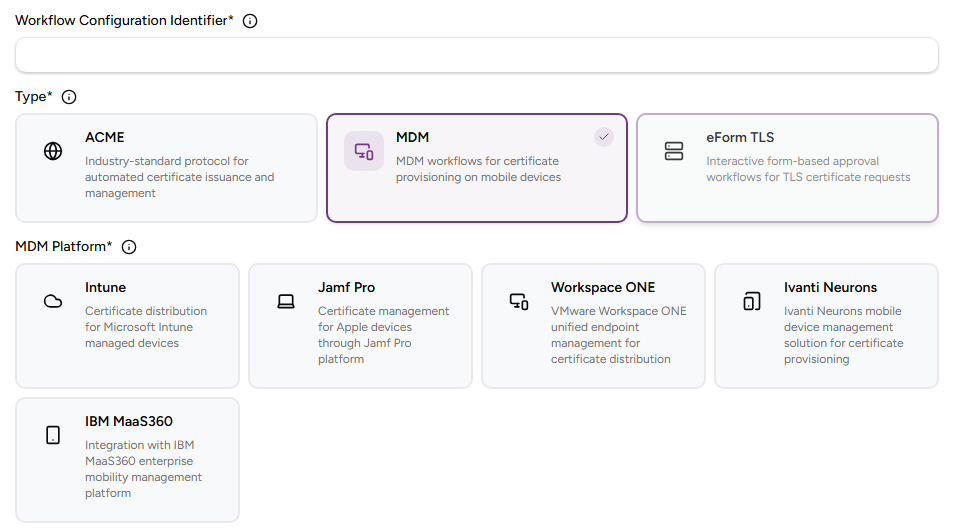
Under Select Enrollment Workflow Type, click MDM and then IBM MaaS360.
-
Configure the following settings.
-
Click Create.
Workflow Configuration Identifier
Enter a unique identifier for the new configuration in your PKI. This identifier:
- Must contain 2-18 characters.
- Can only include lowercase letters, numbers, hyphens (’-’), and underscores (’_’).
Description
Enter an optional description of the workflow purpose.
Select an issuing subordinate authority with profiles in the mdmws group.