Renewing CA Gateway credentials
Before your CA Gateway credentials expire, follow the steps below to renew them.
To renew a CA Gateway credential:
-
Follow Accessing your instances to log in to the PKIaaS user interface using an account with one of the following roles:
-
Click User Management in the sidebar.
-
Select the CAGW Credentials tab.
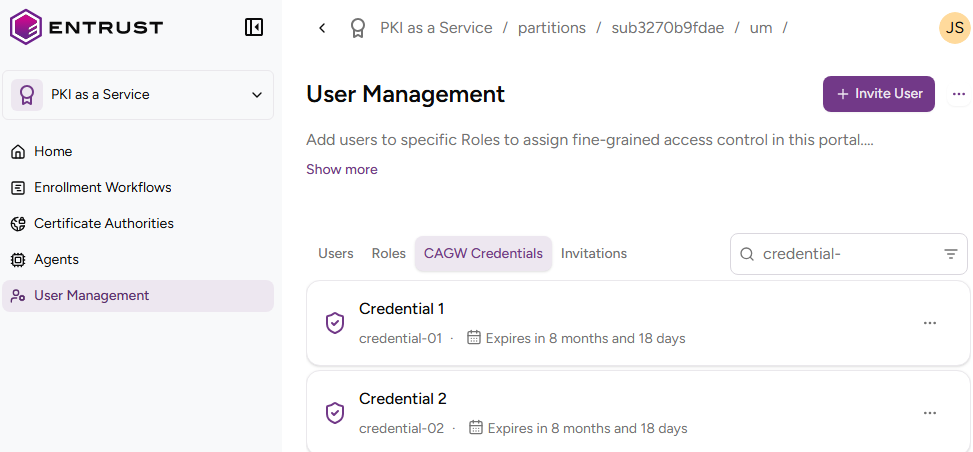
-
In the CAGW Credentials tab, click ACTIONS for the credential you want to renew.
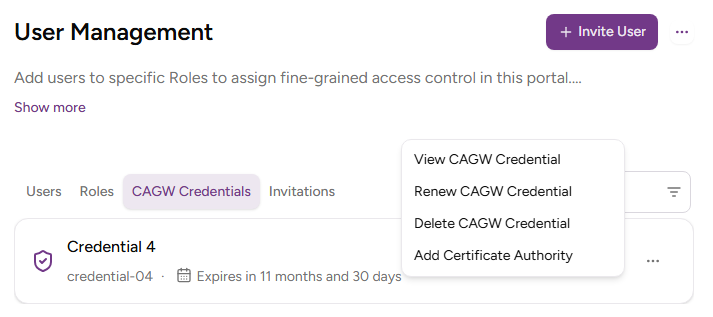
-
Select Renew CAGW Credential.
-
Click Renew.
-
Check the details of the renewed PKCS #12 credential.
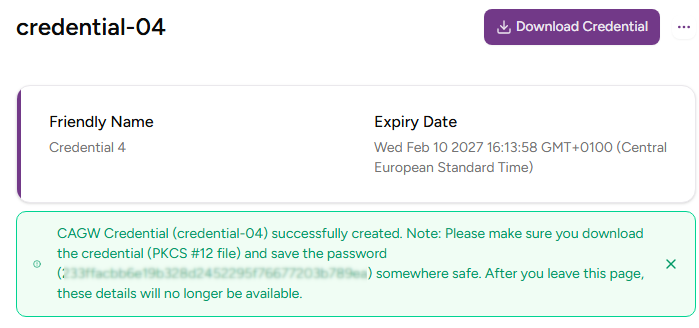
-
Copy the masked password by clicking the copy icon.
You won’t be able to copy the password or download the PKCS #12 file after leaving this page. -
Click Download Credential to download the
pkcs12-<credential>.p12file, where<credential>is the Credential identifier value used to create the credential.