Modifying a custom field
Follow the steps below to update a custom field.
The custom field Type cannot be modified after Adding a custom field.
To update a custom field:
Follow Accessing your instances to log in to the PKIaaS user interface using an account with one of the following roles:
Click Certificate Authorities in the sidebar and select the Custom Fields tab.
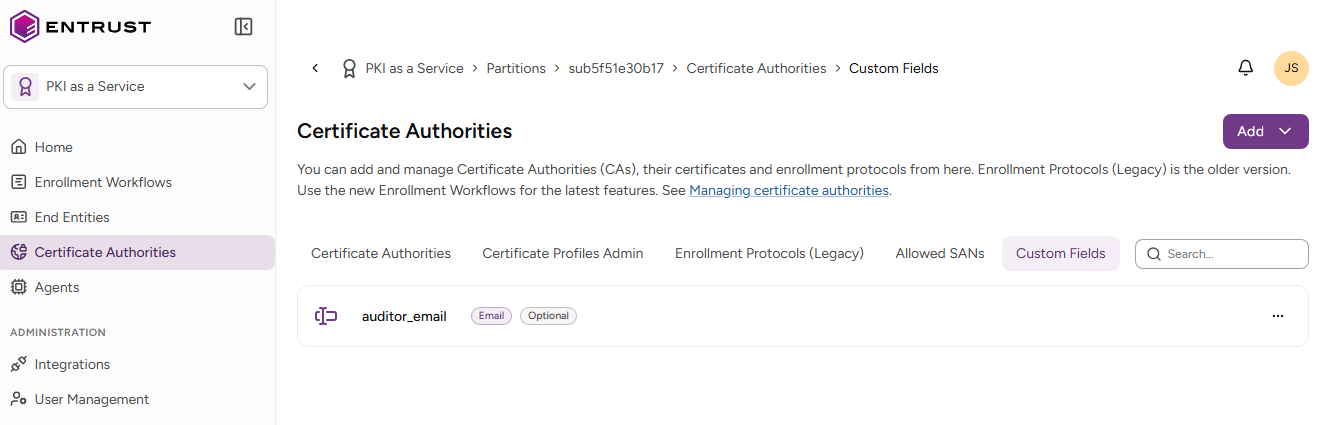
- Select the three dots (…) to the right of a custom field and select Modify Custom Field.
- Update the following settings.
- Click Modify.
Name
The name of the custom field displayed on the certificate issuance and certificate details pages.
Help Message
The text displayed on certificate issuance pages to describe the custom field. For example, when the custom field Type is Text:
Enter the employee ID associated with this certificate.
When the custom field Type is List:
Select the department that will use this certificate.