Auditing enrollment events
See the following instructions to audit enrollment events triggered by remote end entities.
To audit enrollment events:
-
Follow the steps described in Accessing your partitions to log into the PKIaaS interface as a user with any of the roles described under Role permissions.
-
Click Enrollment Workflows in the sidebar.
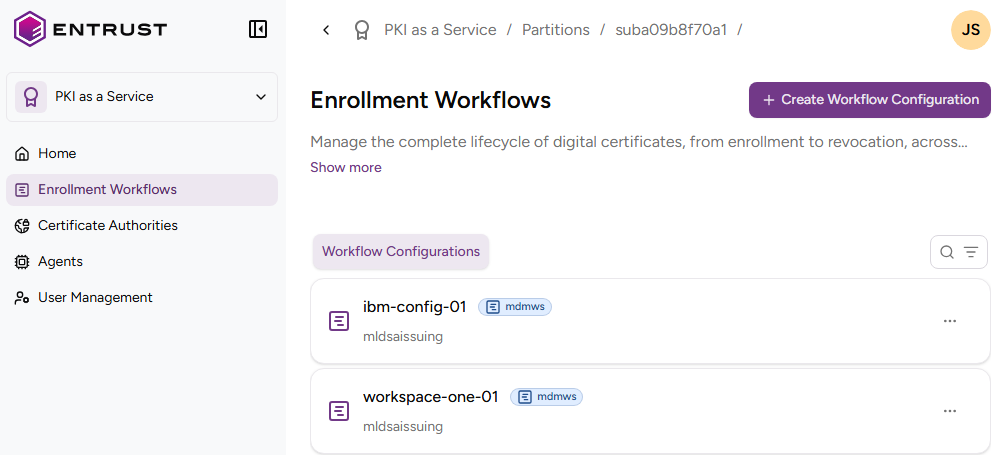
-
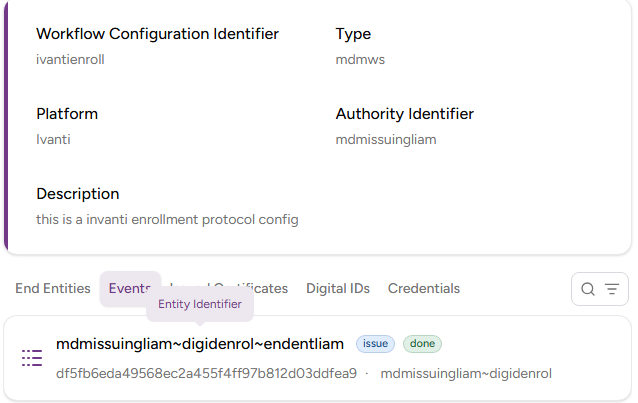
Click the name of a workflow configuration and select the Events tab.
-
Browse the event details.
- The end-entity triggering the event.
- The event type, for example issue.
- The completion status, for example done.
- The event internal identifier, as a hexadecimal string.
- The time and date of the event.