Opening a session on AWS
After Creating an EC2 instance, refresh the EC2 instance list until the instance status is Running, and then open a session into the agent.
To open an agent session on AWS:
-
Select the Entrust PKIaaS agent in the instances list.
-
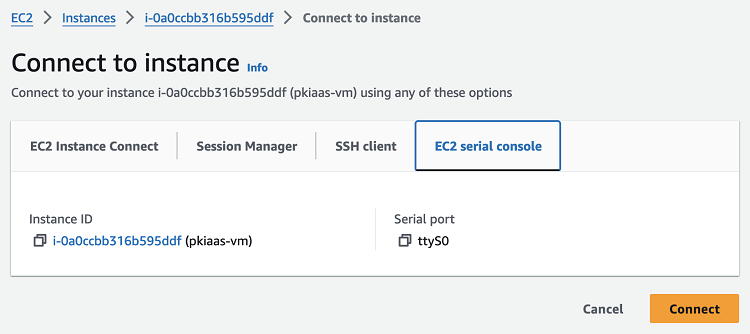
Click Connect in the options menu.
-
Navigate to the EC2 serial console tab.
-
Click Connect.
-
Wait a few seconds after the serial console appears.
-
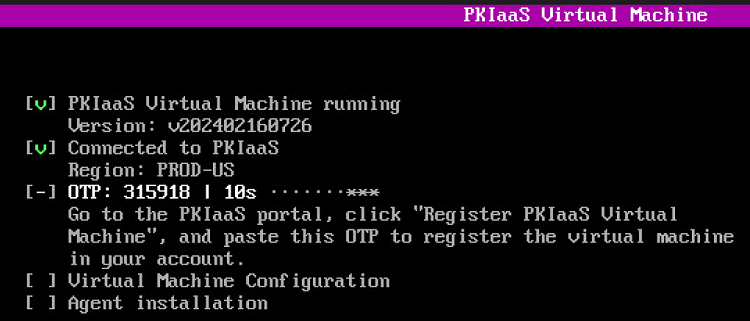
Press the Enter key on your keyboard to launch the agent interface.
-
Take note of the One-time Password (OTP) the agent displays on start. You will need this OTP for Registering an agent.
⚠ The agent refreshes the OTP every 30 seconds.