Creating an IAM role
Create an IAM (Identity and Access Management) role for the policy described in Configuring an IAM policy.
ℹ Skip this step if the role was already created for a previous deployment.
To create an IAM role:
-
Type “IAM” in the search box.
-
Select IAM in the search results to display the IAM dashboard.
-
Select Access management> Roles in the navigation sidebar.
-
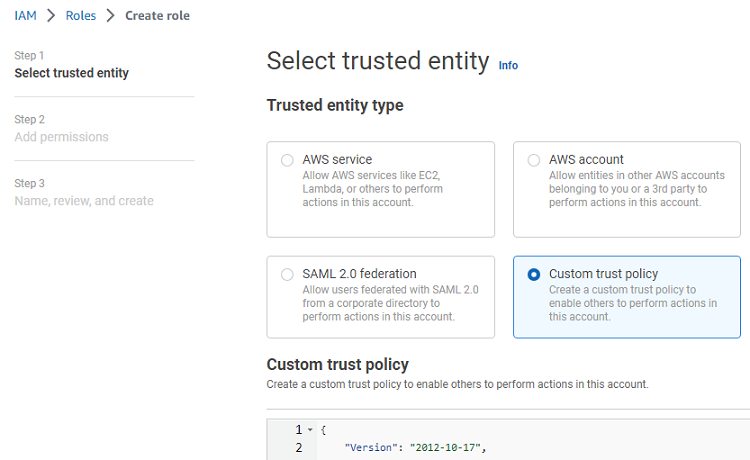
Click Create role to display the Select trusted entity page.
-
Under Trusted entity type, click Custom trust policy.
-
Paste the following code under Custom trust policy.
{ "Version": "2012-10-17", "Statement": [ { "Effect": "Allow", "Principal": { "Service": "vmie.amazonaws.com" }, "Action": "sts:AssumeRole", "Condition": { "StringEquals": { "sts:Externalid": "vmimport" } } } ] } -
Click Next.
-
In the Add permissions page, select the policy described in Configuring an IAM policy.
-
Click Next to display the Role details page.
-
In the Role name field, type
vmimport. -
Click Create role.