Adding a CA and a Request Template for MDM automation in VMware Workspace ONE
Add a certificate authority and a request template for MDM automation in VMware Workspace ONE.
To add a Certificate Authority and a request template:
-
Log in to your Workspace ONE UEM (Unified Endpoint Management).
-
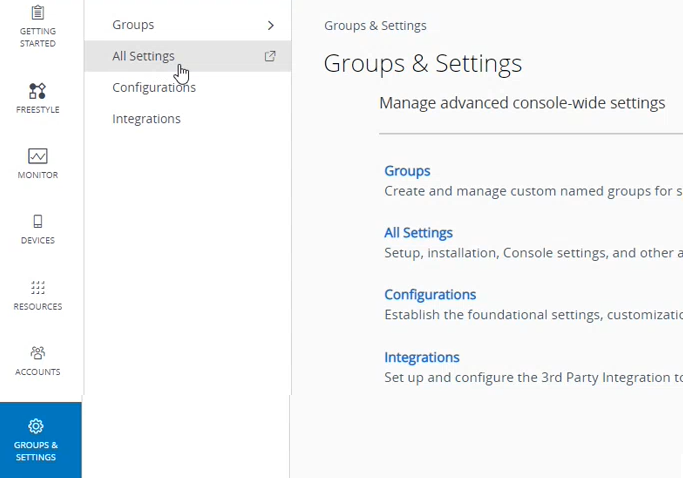
In the sidebar menu, go to Groups & Settings > All Settings.
-
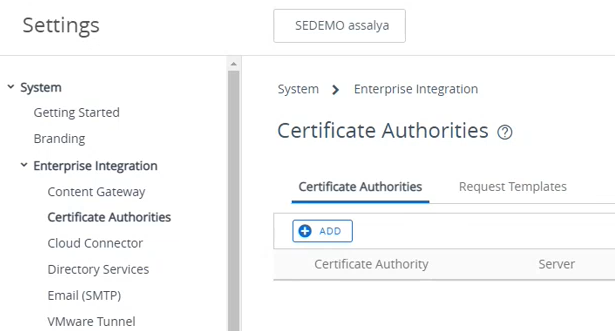
In the All Settings pop-up, go to System > Enterprise integration > Certificate Authorities.
-
Configure the following settings.