Requests Templates
In the Request Templates tab:
- Click ADD.
- Configure a new template for the CA.
- Click SAVE to save the new template settings.
Name
Enter a name for the template in the VMware environment.
Description
Enter an optional description for the template in the VMware environment.
Certificate Authority
Select the name of the CA previously created in the Certificate Authorities tab.
Managed CA
Select the same CA name that was used for Configuring Workspace ONE in PKIaaS.
Profile name
Select the same Profile ID value that was selected for Configuring Workspace ONE in PKIaaS.
<field>
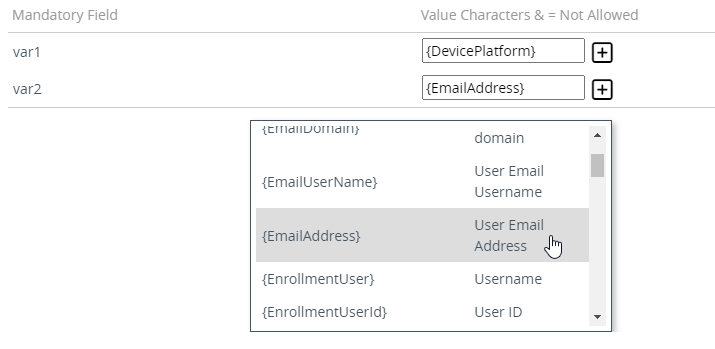
Configure the same RDN Format variables selected for Configuring Workspace ONE in PKIaaS. You can either:
- Provide static text
- Click 🞧 and select a Workspace One variable