Adding the PKIaaS issuing and root CA certificates in Ivanti Neurons MDM
Repeat the steps below to add the certificates of the following certificate authorities.
- The issuing CA described in Adding a PKIaaS issuing CA to Ivanti Neurons MDM.
- The root CA of this issuing CA.
ℹ See Downloading a CA certificate for how to download both certificates.
To add a CA certificate in Ivanti Neurons MDM:
-
Log in to the Ivanti Neurons portal.
-
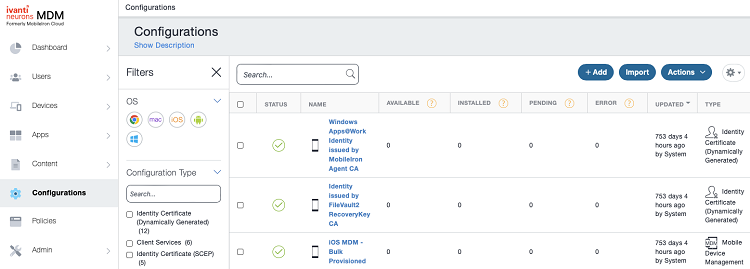
Select Configurations in the navigation sidebar and click Add.
-
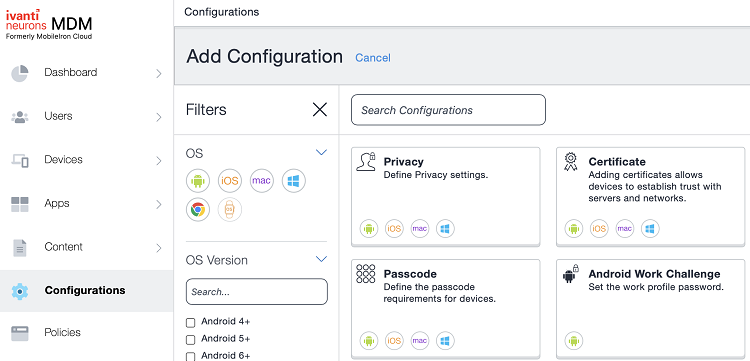
Click Certificate in the Add Configuration pane.
-
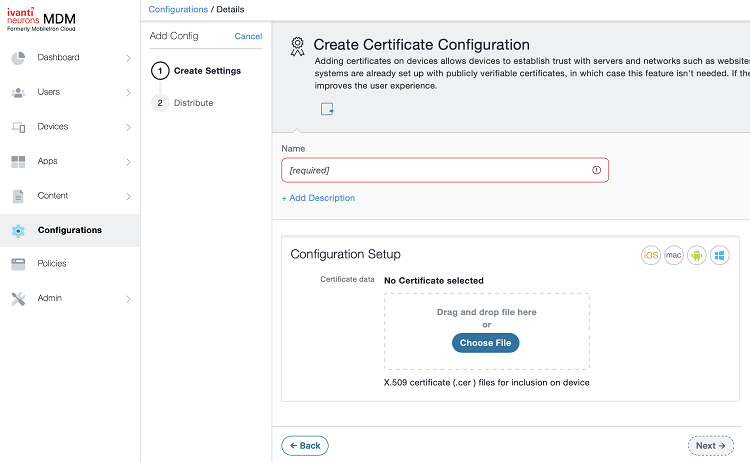
Enter a friendly name for the CA certificate in the Name field.
-
Click Choose file under Configuration Setup and import the certificate file.
-
Click Next.
-
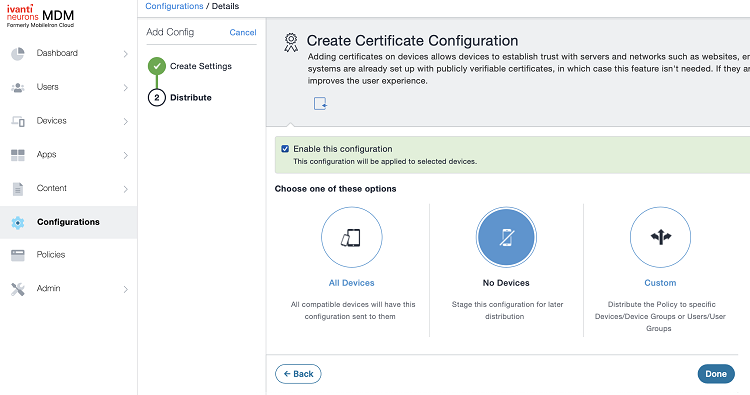
Select the devices, users, or groups to assign the certificate to.
-
Click Done.