Managing end-entities
As explained in the previous sections, PKIaaS supports automating enrollment with different protocols such as ACME, MDM, IBM, or WSTEP. See below for how to manage the end-entities requesting certificates.
ℹ The functionalities described in this section require migrating to the new workflow configurations as explained in Migrating legacy enrollment workflows.
To manage end-entities:
-
Follow the steps described in Accessing your partitions to log into the PKIaaS interface as a user with any of these roles:
-
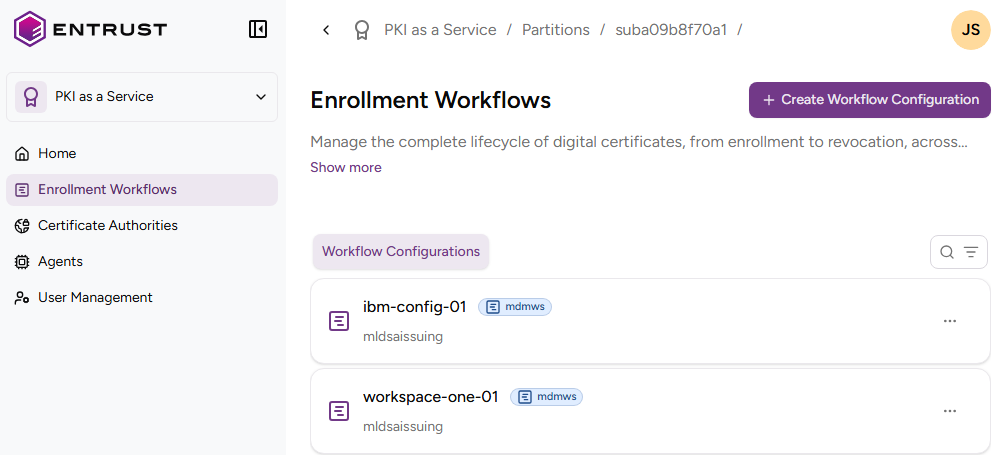
Click Enrollment Workflows in the sidebar.
-
Click the name of an enrollment protocol.
-
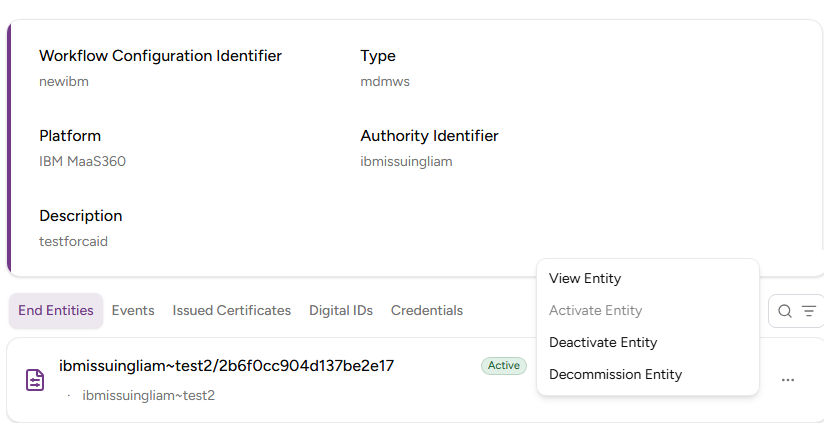
In the End Entities tab, browse the identifier, activation status, and expiry date of each end-entity.
-
Click the three dots ("…") to the right of an end-entity and select:
- View Entity to display the end-entity details
- Activate Entity to activate a deactivated entity
- Deactivate Entity to deactivate an entity
- Decommission Entity to permanently remove an end-entity