Renewing CA Gateway credentials
Before the expiry date, you can renew your CA Gateway credentials as explained below.
To renew a CA Gateway credential:
-
Follow the steps described in Accessing your partitions to log into the PKIaaS interface as a user with any of these roles:
-
Click User Management in the sidebar.
-
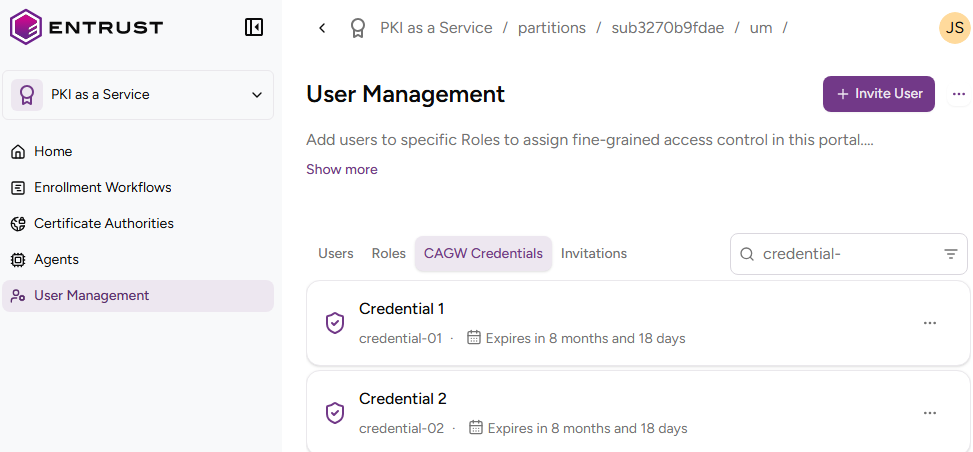
Select the CAGW Credentials tab.
-
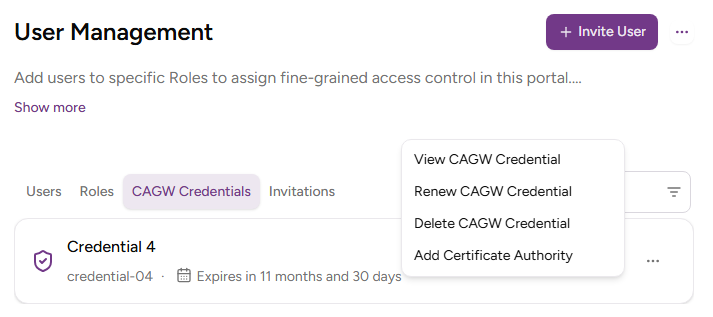
In the CAGW Credentials tab, click ACTIONS for the new credential.
-
Select Renew CAGW Credential.
-
Click Renew.
-
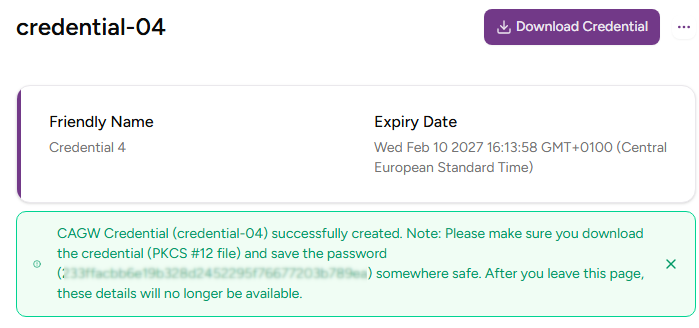
Check the details of the new PKCS #12 credential.
-
Copy the password displayed in the information note.
⚠ You won’t be able to copy the password or download the PKCS #12 file after leaving this page.
-
Click Download Credential to download the
pkcs12-<credential>.p12file, where<credential>indicates the Credential identifier value that was used to create the credential.