Configuring MDM automation in Jamf
If using Jamf as an MDM provider, configure and install a profile as described below.
ℹ Jamf is a cloud service for managing Apple devices like Mac, iPad, or iPhone. When enrolling these devices, the SCEP Payload must include the settings described in https://support.apple.com/guide/deployment/scep-payload-settings-dep495a6d79/web
To configure and install an MDM profile in Jamf:
-
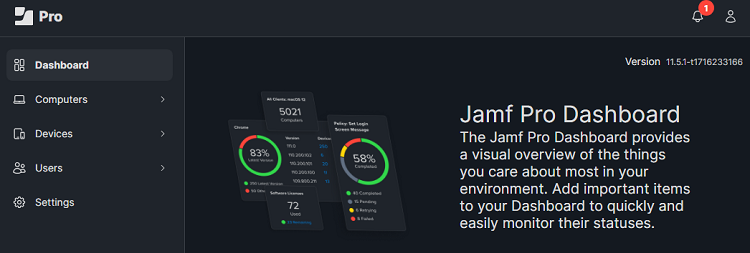
Log in to the Jamf administration portal.
-
Select:
- Computers to create a profile for enrolling Apple computers like MacBooks.
- Devices to create a profile for enrolling iPhones, iPads, etc.
-
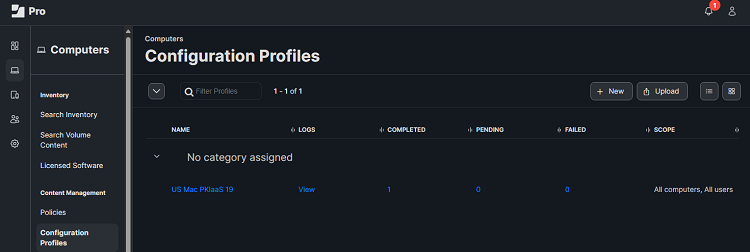
Select Configuration profiles in the sidebar and click New.
-
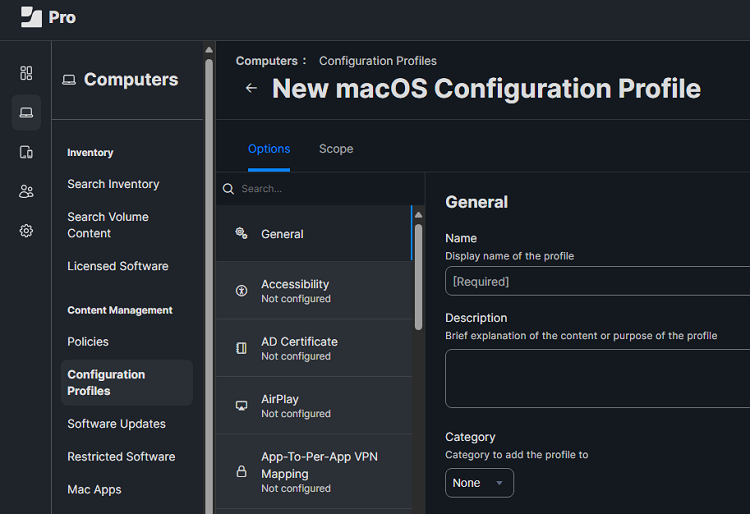
Configure the Options and Scope settings in the New macOS Configuration Profile form.
-
Click Save.
-
To enroll devices, users must log in to Jamf and follow the prompts for enrollment.
- Depending on how Jamf was configured, users may or may not be prompted to download and install CA Certificates.
- Users will be prompted to download and install a profile.
- Wait while the device is enrolled. Certificates will automatically be issued during enrollment.