Configuring Intune in PKIaaS
Create a PKIaaS enrollment workflow configuration for MDM Intune enrollment.
To create a MDM Intune configuration in PKIaaS:
-
Follow the steps described in Accessing your partitions to log into the PKIaaS interface as a user with any of the following roles:
-
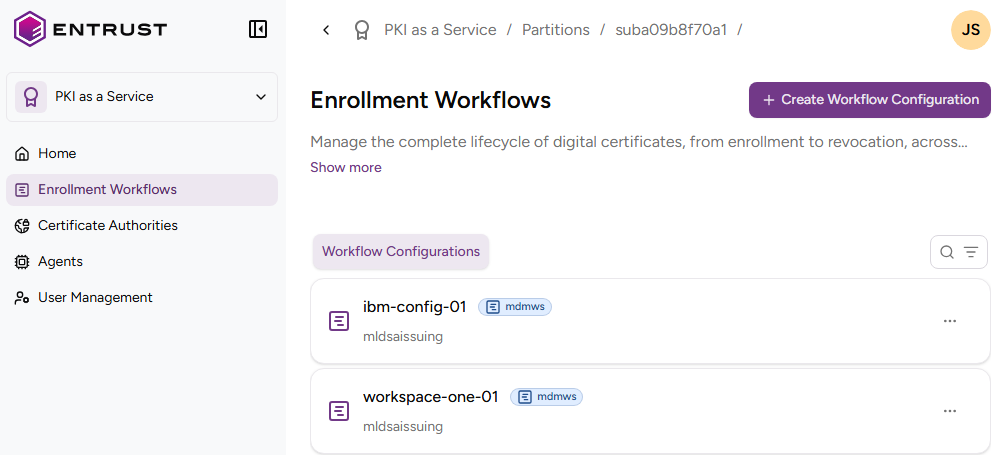
Click Enrollment Workflows in the sidebar.
-
Click Create Workflow Configuration.
-
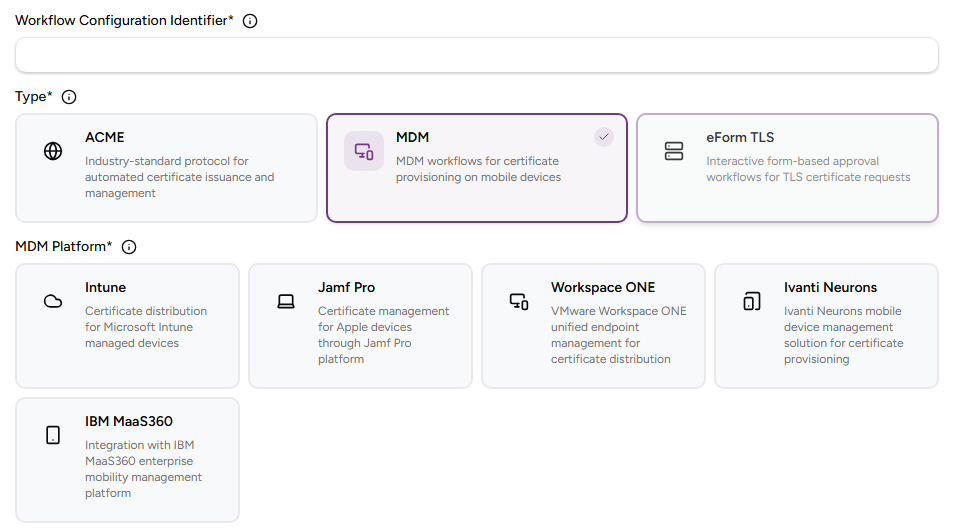
Click MDM and then Intune.
-
Configure following settings.
Field Value Workflow Configuration Identifier Enter a unique identifier for the new configuration in your PKI. This identifier must contain 2–18 characters and can only include lowercase letters, numbers, hyphens (’-’), and underscores (’_’). Intune Tenant ID Paste the Directory (tenant) ID value previously obtained when Creating an Intune application in Azure. Intune App ID Paste the Application (client) ID value previously obtained when Creating an Intune application in Azure. Intune App key Paste the secret value previously obtained when Creating an Intune application in Azure. Description Enter an optional description of the protocol purpose. Authority Identifier Select an issuing subordinate CA with profiles of the intune group. Certificate Profile Select an intune profile of the CA for issuing the enrolled certificates. -
Click Create.
-
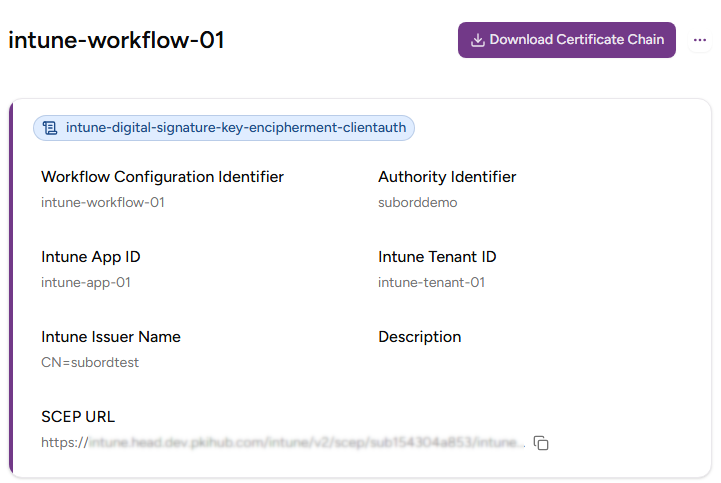
In the confirmation dialog, copy the URL of the SCEP URL field.