Configuring MDM IBM MaaS360 in PKIaaS
Configure a PKIaaS workflow to process MDM (Mobile Device Management) IBM MaaS360 enrollment requests.
To configure an MDM IBM MaaS360 workflow in PKIaaS:
-
Follow the steps described in Accessing your partitions to log into the PKIaaS interface as a user with any of the following roles:
-
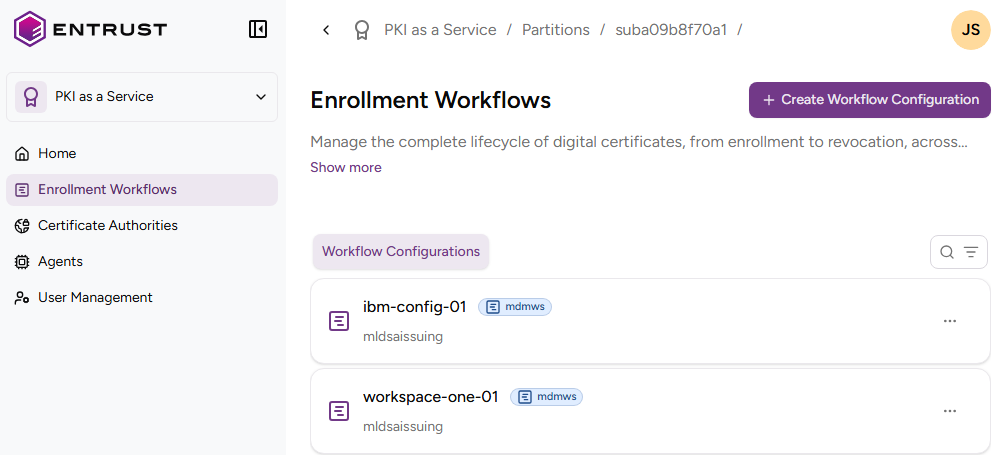
Click Enrollment Workflows in the sidebar.
-
Click Create Workflow Configuration.
-
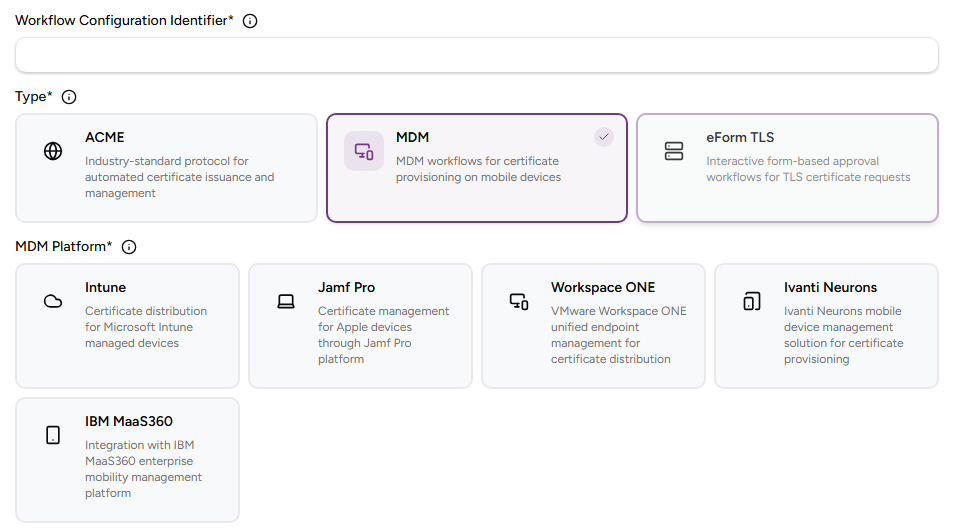
Click MDM and then IBM MaaS360.
-
Configure following settings.
Field Value Type Select MDM IBM MaaS360 Workflow Configuration Identifier Enter a unique identifier for the new configuration in your PKI. This identifier must contain 2–18 characters and can only include lowercase letters, numbers, hyphens (’-’), and underscores (’_’). Description Enter an optional description of the workflow purpose. CA Identifier Select an issuing subordinate authority with profiles of the mdmws group. -
Click Create.
-
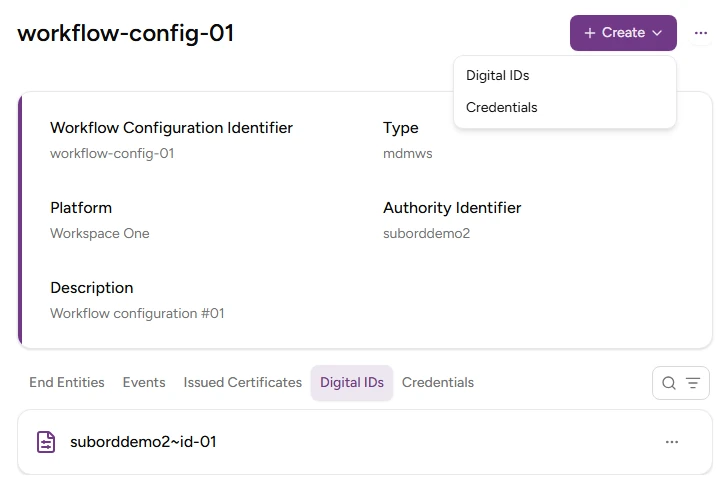
Select Create > Digital IDs.
-
Configure the following values.
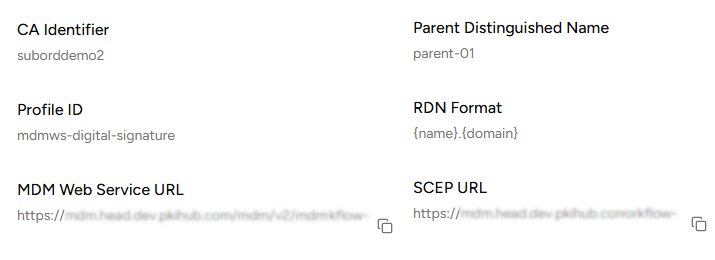
Field Value Digital ID Enter a unique name of the new digital identifier. Parent DN Enter the parent Distinguished Name (DN) for building the RDN of a certificate. PKIaaS appends this value to the Subject DN after processing the RDN Format variables. RDN Format Enter the Relative Distinguished Name (RDN) format to build certificate Subject Names. CA Identifier Select an issuing subordinate authority with profiles of the mdmws group. Profile ID Select the mdmws profile to process the enrollment requests. -
Click Create.
-
Copy the URLs under the Web Service URL and SCEP URL fields of the confirmation dialog.
-
Click Enrollment Workflows in the sidebar
-
Click the name of the new enrollment protocol in the protocols list.
-
Click Create > Credentials and enter a username with the following requirements:
- 2-18 characters long.
- Only includes lowercase letters, numbers, hyphens (’-’), and underscores (’_’).
-
Click Create.
-
Copy the Password value displayed in the confirmation dialog.
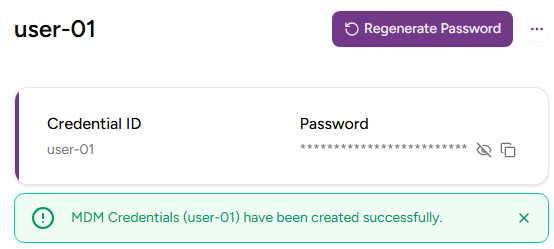
⚠ As stated in the confirmation dialog before leaving this page, Entrust PKIaaS will not display the credential password again. Use the Regenerate Password button to create a new one.