Browsing CAs
See below to browse and inspect the details of all certificate authorities (CAs) in your PKI.
To browse certificate authorities:
-
Follow the steps described in Accessing your partitions to log into the PKIaaS interface as a user with any of the roles described under Role permissions.
-
Click Certificate Authorities in the sidebar.
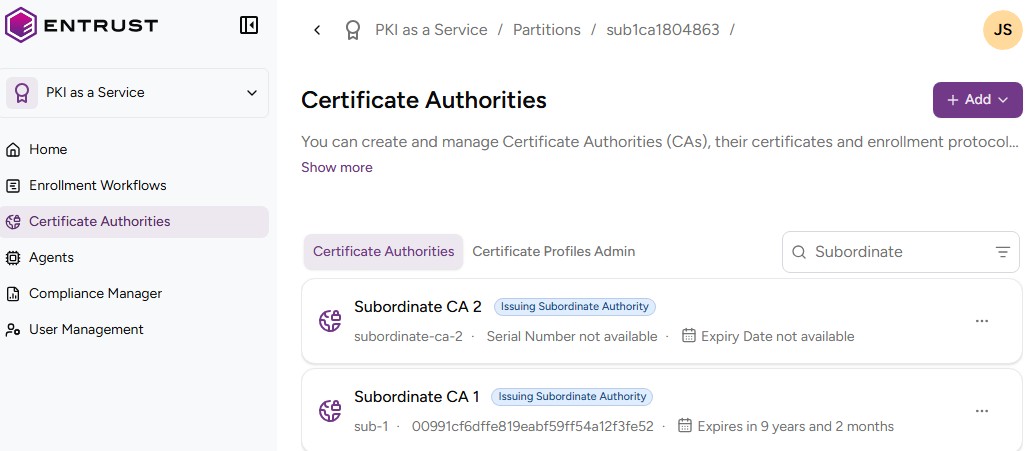
-
In the Certificate Authorities tab, click the name of a certificate authority to check the following values.
Subject
The Subject’s Distinctive Name (DN) of the Certificate authority certificate.
Type
The type of certificate authority.
ℹ See Definitions for a description of each type.
CA Identifier
The identifier assigned to the certificate authority on creation.
URLs
The CA Gateway endpoint for the certificate authority.
Serial Number
The serial number (SN) of the CA certificate.
SHA-256 Fingerprint
The SHA-256 fingerprint of the CA certificate.
Issuer
The Distinguished Name of the entity that issued the CA certificate.
Valid from
The time and date when the CA certificate began its validity.
Expiry Date
The time and date when the CA certificate will expire.
Public key type
The public key algorithm of the CA certificate.
Signature Algorithm
The signature algorithm of the CA certificate.
Basic Constraints
The basic constraints for the CA certificate (see RFC 5280 for details on basic constraints).
Key Usage
The key usages for the CA certificate.
Authority Info Access OCSP
The URL of the OCSP responder service informing on the CA certificate status.
Authority Info Access CA Issuers
The locations that provide access to the issuer certificate.
Authority Key Identifier
The key identifier of the entity that issued the CA certificate.
Subject Key Identifier
The key identifier for the certificate subject.
CRL Distribution Points
The URLs from which to download the CRLs (Certificate Revocation Lists) informing on the CA certificate status.