Managing roles
See below for how to grant or remove roles from users.
ℹ See Role permissions for the permissions granted by each role.
Adding users to a role
See below for how to add a user to a role.
To add a user to a role:
-
Follow the steps described in Accessing your partitions to log in to the PKIaaS interface.
-
Authenticate as a user with the Owners role.
-
Select User Management in the sidebar.
-
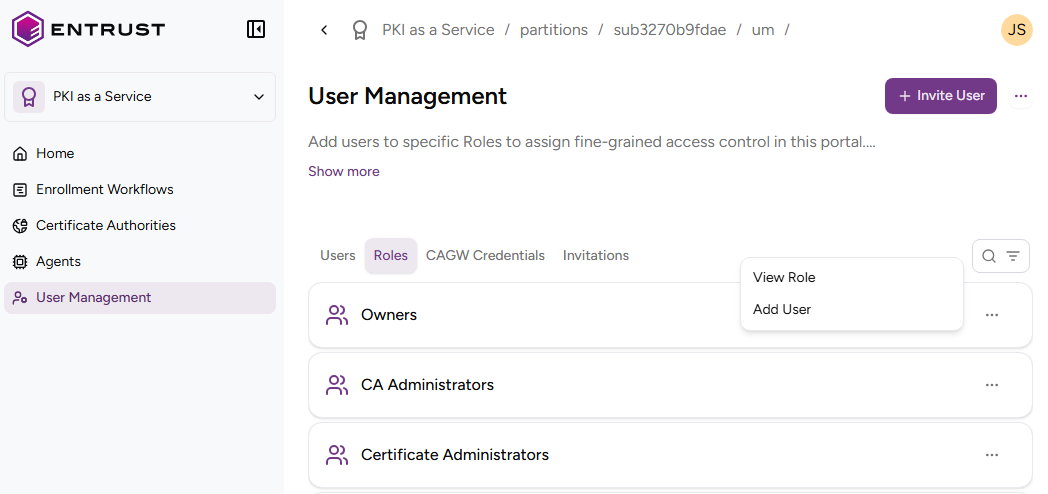
Select the Role tab.
-
Click ACTIONS > Add user for a role.
-
Select the user name from a list of invited users.
-
Click Add.
Removing users from a role
See below for how to remove a user from a role.
To remove a user from a role:
-
Follow the steps described in Accessing your partitions to log into the PKIaaS user interface as a user with the Owners role.
-
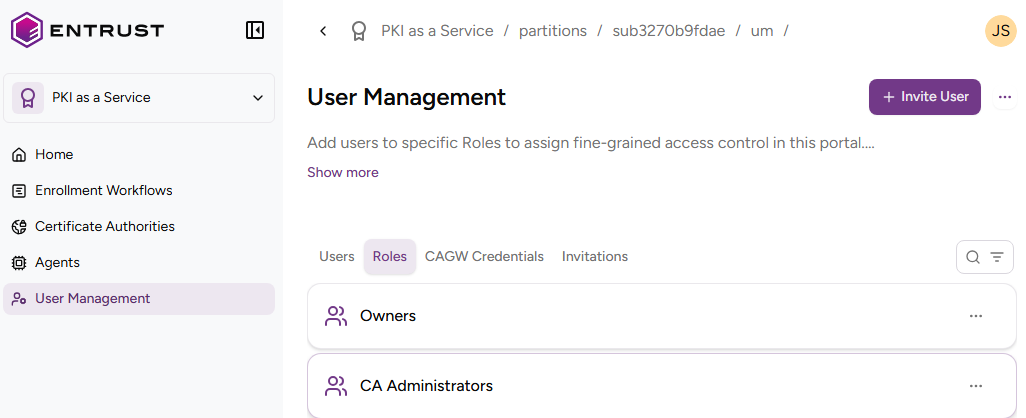
Click User Management in the sidebar.
-
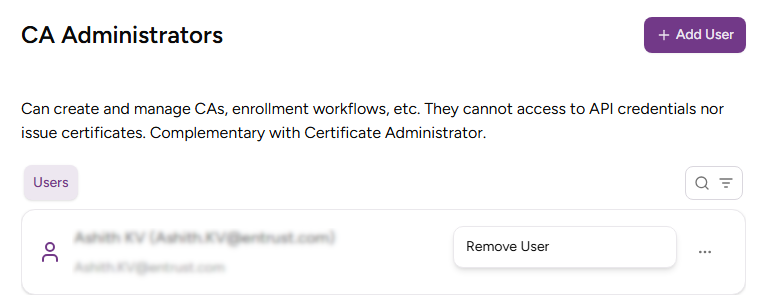
Click the name of a role to display the list of members.
-
Click ACTIONS > Remove User for the user you want to remove.
-
Click Remove in the Remove User confirmation dialog.